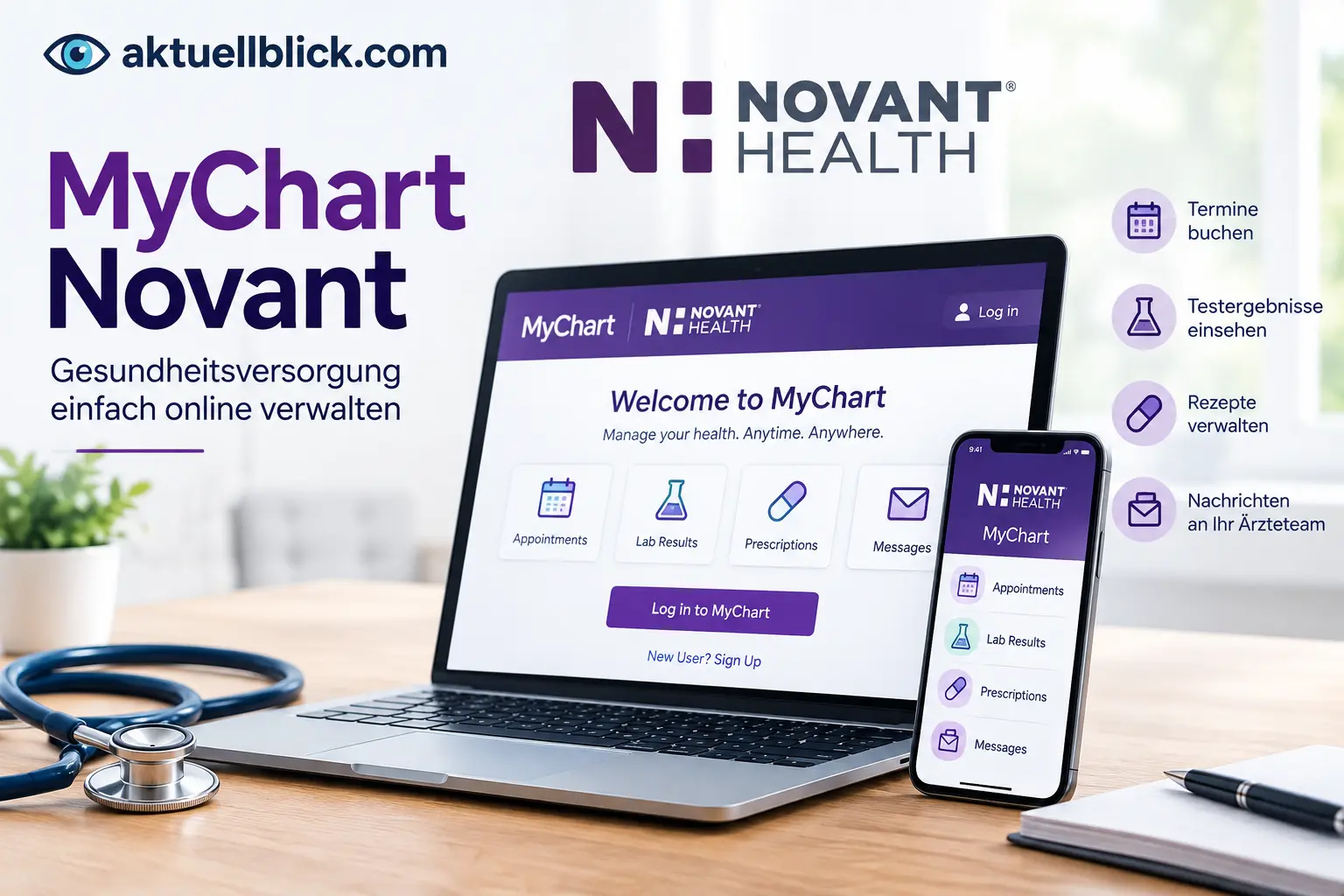

MyChart Novant is an online patient portal that helps Novant Health patients manage many parts of their healthcare from a computer or mobile device. Whether you need to check test results, schedule an appointment, review medical records, request a prescription refill, message your care team, or pay a medical bill, the patient portal brings these services together in one place.
For someone using mychart novant for the first time, the process can seem confusing because Novant Health uses both the MyChart name and the MyNovant name. This guide explains how mychart novant works, how to create and activate an account, how to use the mobile app, what to do when you cannot sign in, and where to get support.
Novant Health says its MyChart service provides access to medical information, appointments, test results, prescription refills, messaging, virtual care, billing, and other healthcare tools. The MyNovant app provides access to these features from compatible mobile devices.
What Is MyChart Novant and How Does It Work?
Novant Health MyChart is a secure online patient portal used by Novant Health patients to access and manage healthcare information electronically.
Think of it as a digital connection between you and your healthcare provider. Instead of calling the office every time you need basic information, many routine tasks can be completed through your patient portal.
Depending on your Novant Health services and account access, you may be able to:
- View medical records and visit information
- Check laboratory and other test results
- Review medications and allergies
- Schedule or manage appointments
- Message healthcare providers
- Request prescription refills
- Complete eCheck-In
- Join eligible virtual visits
- View and pay healthcare bills
- Access family members’ information when appropriate authorization is available
- Request copies of medical records
- Review provider notes and other health information
Novant Health’s patient handbook describes MyChart as a free online tool available around the clock and says patients can access test results and provider notes through the portal.
Is MyChart the same as MyNovant?
The names can be confusing.
MyChart is the patient portal and healthcare record platform. MyNovant is the Novant Health digital experience and mobile app that gives patients access to MyChart features along with other Novant Health tools.
The current Novant Health website directs patients to sign in to MyChart and also promotes the MyNovant mobile app for accessing MyChart features while on the go.
MyChart Novant Login: How to Sign In
To access your account, start from Novant Health’s official patient portal and select the option to sign in to MyChart.
The basic process is:
- Open the Novant Health MyNovant patient portal.
- Select the MyChart sign-in option.
- Enter your MyChart username.
- Enter your password.
- Complete any security verification requested.
- Continue to your patient portal.
Once signed in, you can access the features available to your account, such as appointments, test results, messages, medical records, prescription refills, and billing.
If you have forgotten your login information, use the Forgot username or password? option rather than repeatedly entering incorrect information. Novant Health currently provides username and password recovery through its MyChart access page.
How to Create a MyChart Novant Account
If you do not already have an account, Novant Health provides a Sign Up Now option from its MyChart access page.
The exact registration process can depend on whether you received an activation code or need to verify your identity another way.
In general, you should:
- Open the Novant Health MyChart registration page.
- Choose the account sign-up option.
- Enter the requested personal information.
- Provide an activation code if you have one.
- Create your username and password.
- Complete the required identity verification.
- Review the account information.
- Finish registration.
After registration, keep your username and password somewhere secure. Your MyChart login protects access to personal health information, so do not share your credentials with other people.
If you have never received an activation code, Novant Health also provides an account creation route that does not require you to already have a code.
How to Activate MyChart With an Access Code
An activation code is used to connect your identity with your Novant Health patient portal account.
If Novant Health provided you with an activation code, select Activate with access code from the MyChart login page and follow the instructions.
You will generally need to enter:
- Your activation code
- Your date of birth or other requested identifying information
- Additional information needed to verify your identity
Once the activation process is complete, you can create or finish setting up your MyChart credentials.
If your activation code has expired or does not work, avoid guessing repeatedly. Contact Novant Health support or use the available account-registration options.
What Can You Do With Novant Health MyChart?
The patient portal is designed to handle many common healthcare tasks in one place.
Healthcare information
You can use the portal to review available medical information, including laboratory results, medications, allergies, immunizations, medical history, visit summaries, and provider information.
Appointments
Eligible patients can schedule appointments, view upcoming visits, and manage appointments through MyChart.
Communication
MyChart can provide a secure way to communicate with your healthcare team for appropriate non-emergency questions.
Prescription management
You can request medication refills when the prescription and provider support that function.
Virtual care
Eligible patients can use MyChart to access certain video and virtual-care services.
Billing
The portal can be used to view and pay eligible Novant Health bills.
Medical records
Novant Health recommends MyChart as a convenient way to request and access medical records.
How to View Medical Records in MyChart
Medical records contain information about your healthcare encounters and may include visit summaries, test results, provider notes, medications, and other information.
To find available records:
- Sign in to your patient portal.
- Open the section for your medical information or records.
- Select the type of information you want to review.
- Open the relevant visit, document, result, or report.
- Download or save information when that option is provided.
Novant Health says patients and authorized personal representatives can request copies of medical records directly through MyChart at no cost. The organization also states that users can view or download visit summaries, request a full medical record, manage documents, and see who has accessed their information.
Not every historical item will necessarily appear in the same way. Novant Health notes that some diagnostic images, including certain images performed before 2021, may not be available through MyChart and may require a separate process.
How to Check Test Results
One of the most useful patient portal features is online access to test results.
After signing in, look for the Test Results, Results, or similar health-information section. The available information depends on the test and your healthcare record.
Novant Health states that patients have access to test results and provider notes through MyChart.
Can you see laboratory results in MyChart?
Yes, eligible laboratory results can appear in your patient portal after they are released to your account.
Remember that seeing a result online does not automatically tell you what it means for your individual health. If you have questions about an abnormal or unexpected result, discuss it with your healthcare provider.
How to View Medications, Allergies, and Health Information
Your patient portal can provide a central place to review important health information.
Depending on your record, this may include:
- Current medications
- Allergies
- Immunizations
- Medical history
- Laboratory results
- Visit information
- Provider notes
- Other clinical information
Novant Health’s patient handbook specifically lists medications, laboratory results, immunizations, allergies, and medical history among the information patients can review.
Use the information as a reference, but contact your healthcare team if something appears incorrect or needs to be updated.
How to Schedule or Cancel Appointments
MyChart can make appointment management easier because eligible patients can schedule appointments online rather than calling a clinic.
A typical process is:
- Sign in to MyChart.
- Select the appointment or scheduling option.
- Choose the type of appointment.
- Select an available provider or location.
- Choose a date and time.
- Review the appointment details.
- Confirm the appointment.
Novant Health states that patients can use MyChart to schedule appointments, including appointments for themselves or eligible family members. Some Novant Health clinics specifically advertise online appointment scheduling through MyChart.
If you need to cancel or reschedule, open your upcoming appointments and select the appropriate appointment-management option.
Availability can vary by provider, specialty, location, insurance requirements, and appointment type.
How to Message Your Novant Health Care Team
MyChart can provide secure electronic communication with your healthcare team for appropriate questions.
To send a message:
- Sign in to your account.
- Open the messaging section.
- Select the appropriate provider or care team.
- Enter your question.
- Add relevant information.
- Send the message.
Messaging is useful for non-urgent matters, such as questions about an existing treatment plan, follow-up instructions, or other issues your care team has asked you to communicate electronically.
Do not use a patient portal message for an emergency. For urgent or life-threatening symptoms, use appropriate emergency medical services.
How to Request Prescription Refills
If your prescription is eligible for online refill requests, you can usually start the process from the medication section of your patient portal.
Look for the medication you need and select the refill-request option if available. You may then be asked to choose a pharmacy or confirm other information.
Novant Health lists prescription refill requests among the services available through its MyChart patient portal.
A refill request does not necessarily mean the prescription will be renewed automatically. The healthcare provider may need to review the request before approving it.
How to Manage Family or Caregiver Accounts
Healthcare portals can also support authorized access to another person’s health information.
For example, a parent or authorized caregiver may need access to a child’s account or another patient’s information.
Novant Health’s patient handbook states that family records can be linked to an account.
The exact access available depends on the patient’s age, authorization, relationship, and Novant Health’s applicable privacy and proxy-access rules.
If you are managing healthcare for someone else, use authorized proxy access instead of sharing that person’s password.
How to Pay Novant Health Bills Through MyChart
You can use MyChart to view and pay eligible Novant Health medical bills.
To make a payment through your account:
- Sign in to MyChart.
- Open the billing or payment section.
- Review the outstanding balance.
- Select the bill you want to pay.
- Enter the requested payment information.
- Review the payment details.
- Submit the payment.
Novant Health says patients can use their MyChart username and password to access online bill payment. The service is designed to work from a phone, tablet, or computer.
Keep your patient statement available if you need to verify billing information.
For the latest updates and insights, explore Vanessa Kirby today.
How to Pay a Novant Health Bill as a Guest
You do not necessarily need a MyChart account to make every online payment.
Novant Health provides a Pay as Guest option. Its online bill-pay information says a guest payment can be made using the guarantor account number and last name shown on the statement.
This can be useful if you are paying a bill but do not want to create or use a patient portal account.
Before submitting payment, check that the statement information matches the bill you intend to pay.
How to Use MyChart for Virtual Visits
Novant Health offers virtual care options that can be accessed through its digital healthcare services.
Depending on the service and eligibility, patients may be able to schedule or join video visits using MyChart.
For a standard virtual visit, you generally need:
- A supported smartphone, tablet, or computer
- Internet access
- A working camera when video is required
- A working microphone and speaker
- Your patient portal credentials
- A scheduled or eligible on-demand visit
Novant Health currently says its on-demand video visits are available to adults and children, but the patient must be physically located in North Carolina, South Carolina, or Virginia because of medical licensing requirements.
Some specialized virtual services may have additional technology requirements.
Can MyChart be used with TytoCare?
Yes, Novant Health provides specific instructions for eligible TytoCare video visits.
Novant Health says a Novant Health MyChart account is required for TytoCare, and the MyChart app is used to access the TytoCare setup.
Patients should complete device activation and pairing before the first visit.
MyNovant App: Features and Benefits
The MyNovant app gives patients a mobile way to access healthcare tools.
Novant Health currently lists the app as available through the Apple App Store and Google Play Store.
Depending on your account and available services, the app can help you:
- Access MyChart
- View test results
- Manage appointments
- Request prescription refills
- Communicate with healthcare providers
- Pay bills
- Complete eCheck-In
- Access virtual care
- Review healthcare information
The biggest practical advantage is convenience: you can manage many routine healthcare tasks without needing to sit at a desktop computer.
MyChart Novant on iPhone and Android
The MyNovant experience is available for both major mobile platforms.
For an iPhone or iPad:
- Open the Apple App Store.
- Search for the Novant Health MyNovant app.
- Verify that you are downloading the official app.
- Install it.
- Open the app and sign in.
For Android:
- Open Google Play.
- Search for the Novant Health MyNovant app.
- Check the publisher information.
- Install the official application.
- Open it and sign in.
Novant Health confirms that its MyNovant app is available through both the Apple App Store and Google Play.
Avoid installing unofficial applications or entering your healthcare credentials into websites or apps that you do not recognize.
How to Complete eCheck-In With MyNovant
eCheck-In allows patients to complete certain parts of the appointment process before arriving.
Depending on the appointment, you may be able to review or confirm:
- Personal information
- Insurance information
- Appointment details
- Medical information
- Required forms
- Other visit-related information
Novant Health promotes the MyNovant app for completing paperwork before appointments and says the process can help patients prepare before arriving.
If you prefer paper forms, Novant Health says patients can arrive early to complete required paperwork at the facility.
How to Preregister for a Novant Health Appointment
Preregistration helps Novant Health collect necessary information before your appointment.
The current MyNovant patient portal page says patients can preregister for clinic or hospital appointments up to 24 hours in advance.
The exact process can differ depending on the type of appointment.
For certain appointments, Novant Health also provides phone-based preregistration options. Its registration information includes separate instructions for physician clinic visits, hospital services, surgery, radiology, maternity, and other care areas.
MyChart Novant Forgot Username or Password
Forgetting your login details is one of the most common patient portal problems.
If you cannot remember your username or password, start from the official MyChart sign-in page and select Forgot username or password?
Follow the identity-verification instructions and create a new password if required.
Do not create multiple accounts simply because you forgot your original credentials. Multiple accounts can make it harder to keep your health information organized.
How to Reset Your MyChart Novant Password
If you remember your username but cannot remember your password, use the password-recovery option on the login page.
The general process is:
- Select the password-recovery option.
- Enter the requested account information.
- Complete identity verification.
- Follow the password-reset instructions.
- Create a new secure password.
- Return to the login page and sign in again.
If the automated recovery process does not work, Novant Health’s Contact Center specifically lists MyChart password resets among the issues its support team can help with.
What to Do If MyChart Novant Is Not Working
A patient portal problem does not always mean your account is broken.
First, check the basics:
- Confirm that your internet connection is working.
- Make sure you are using the official Novant Health portal or app.
- Check that your username and password are correct.
- Update the mobile app if an update is available.
- Close and reopen the app.
- Restart your phone or computer.
- Try another supported browser.
- Clear browser cache if the website behaves incorrectly.
- Check whether the issue occurs on both Wi-Fi and mobile data.
- Contact MyChart support if the problem continues.
If the problem involves an incorrect password, use the official password-recovery process instead of repeatedly attempting to sign in.
For mobile video visits, also check your camera, microphone, speaker, app permissions, and notifications.
Novant Health’s video-visit instructions specifically note that MyChart and, where applicable, TytoCare notifications need to be enabled for certain video visits.
MyChart Novant Customer Service and Support
Novant Health provides dedicated support for MyChart-related problems.
Customer service can help with issues such as:
- Login problems
- Password resets
- MyChart features
- Billing questions
- Payment problems
- Other patient portal issues
The current Novant Health Contact Center lists MyChart and billing assistance and provides phone and email support.
When contacting support, have useful information ready, but do not send your password or other sensitive credentials through an unsecured message.
MyChart Novant Support Phone Numbers
Novant Health currently lists separate MyChart support numbers for its North Carolina and South Carolina services.
North Carolina MyChart support: 844-266-8268
South Carolina MyChart support: 844-642-4699
Novant Health’s current MyNovant page lists MyChart customer service hours as Monday through Friday, 8 a.m. to 5 p.m. for the listed support service.
Novant Health’s broader Contact Center currently lists 844-266-8268 for billing and MyChart assistance and gives business hours of Monday through Friday, 8 a.m. to 6 p.m.
Because support availability and regional contact details can change, check the current Novant Health support information if the number or service you need differs from the information above.
South Carolina Patient Portal and MyChart Access
Novant Health has specific patient portal information for its South Carolina locations.
The current South Carolina patient portal page identifies online portals and services associated with locations and physician groups including:
- East Cooper Physician Group
- Hilton Head Regional Physician Group
- East Cooper Medical Center
- Hilton Head Medical Center
- Coastal Carolina Medical Center
The page also provides a route to Novant Health MyChart sign-in and South Carolina support information.
This matters because healthcare portal access can depend on the facility or organization where you received care.
If you are a South Carolina patient and cannot find a particular record, bill, or appointment, verify that you are using the portal associated with the correct Novant Health facility.
Stokes County Patient Portal and Novant Health
Patients in Stokes County may encounter specific portal information because healthcare services in the area have transitioned to Novant Health.
Novant Health’s current MyNovant page says that as care in Stokes County transitions to Novant Health, patients can use the patient portal to view medical records, message their care team, manage appointments, and pay bills.
Novant Health also identifies Community Hospital of Stokes as part of Novant Health and says the hospital provides services including imaging, laboratory, surgical, rehabilitative, and emergency care.
If you previously used another patient portal, do not assume that every historical record will immediately appear in the same location. Follow the current portal instructions provided by your healthcare organization.
New Hanover MyChart and Bill Pay Changes
New Hanover patients may see different billing instructions depending on when the bill was issued.
Novant Health currently states that NHRMC MyChart is no longer available for bill pay.
For bills from New Hanover Regional Medical Center dated before May 4, 2024, patients who are already on a payment plan are contacted directly regarding their payment method. Novant Health provides separate assistance numbers for older NHRMC and Pender Medical Center bills. For other bills, Novant Health directs patients to use its current MyChart payment system.
This distinction is important if you are searching for an old New Hanover bill and cannot find it in the current billing area.
MyChart Novant vs. MyNovant App
The simplest way to understand the difference is:
| Feature | MyChart | MyNovant |
|---|---|---|
| Patient portal access | Yes | Yes |
| Medical records | Yes | Through app access |
| Test results | Yes | Yes |
| Appointment management | Yes | Yes |
| Prescription refills | Yes | Yes |
| Provider messaging | Yes | Yes |
| Bill payment | Yes | Yes |
| Mobile access | Browser and app | Mobile app |
| Virtual-care access | Eligible services | Eligible services |
The terminology can vary across Novant Health pages, but the practical point is that MyNovant provides a convenient digital and mobile experience for accessing MyChart and other Novant Health services. Novant Health’s current patient portal page specifically describes the MyNovant app as a way to access MyChart features and more while on the go.
Is MyChart Novant Free to Use?
Novant Health describes MyChart as a free online tool for patients.
However, free portal access does not mean every healthcare service is free.
For example, an appointment, medical procedure, laboratory service, imaging service, or other healthcare service can have costs based on insurance coverage, deductibles, copayments, coinsurance, and other factors.
The patient portal itself is simply the digital tool used to access eligible healthcare information and services.
Is MyChart Novant Secure?
Patient portals are designed to protect sensitive healthcare information through account authentication and security controls.
Your account may contain highly private information such as:
- Medical history
- Test results
- Medications
- Allergies
- Provider notes
- Billing information
- Appointment details
- Personal identification information
For your own security:
- Use a strong, unique password.
- Never share your login credentials.
- Do not save your password on a public computer.
- Lock your phone with a secure screen lock.
- Keep the official mobile app updated.
- Avoid entering credentials on suspicious websites.
- Sign out when using a shared computer.
- Be careful with unexpected messages asking for your patient portal login.
Novant Health also uses text communications for certain care-related information, including MyChart account messages, one-time passcodes, billing notifications, and prescription reminders.
How Quickly Do Test Results Appear in MyChart?
There is no single universal waiting time for every test.
The timing can depend on the type of test, laboratory or diagnostic service, processing requirements, and when the result is released to your patient portal.
Novant Health states that patients have access to test results and provider notes through MyChart.
If a result has not appeared when you expected it, check whether the test is still being processed and contact your care team if you need clarification.
An important point is that a result appearing in the portal does not necessarily mean your provider has already discussed it with you. If you are concerned about a result, use the appropriate communication method recommended by your healthcare team.
What Information Can You Access Through MyChart?
The information available can vary by patient and service, but Novant Health identifies several major categories.
You may be able to access:
- Medical records
- Visit summaries
- Provider notes
- Laboratory results
- Medications
- Allergies
- Immunizations
- Medical history
- Appointment information
- Prescription information
- Billing information
- Family records through authorized access
- Virtual-care services
- Health instructions and educational information
Novant Health also says its medical-records system can allow patients to request a full record, download visit summaries, manage documents, and see who has accessed their information.
How MyChart Novant Helps You Manage Healthcare Online
A patient portal is most useful when it reduces small administrative tasks that would otherwise require phone calls or visits.
Instead of calling a clinic simply to check whether a laboratory result has been posted, you can often check the portal yourself.
Instead of waiting on the phone to request a refill, you may be able to submit the request electronically.
Instead of calling to schedule certain appointments, eligible patients can search available appointment options online.
The same applies to billing, records, eCheck-In, provider messaging, and virtual care.
Novant Health’s current patient portal information brings these functions together, including appointments, prescription refills, test results, medical records, provider communication, virtual visits, billing, and preregistration.
The most important limitation is that a patient portal is not a replacement for emergency medical care. It is primarily a tool for managing information, communication, appointments, and other routine healthcare tasks.
FAQs
What is Novant Health MyChart?
Novant Health MyChart is an online patient portal that lets eligible patients access health information and manage services such as appointments, test results, medical records, prescription refills, provider messaging, virtual care, and bill payments.
How do I log in to MyChart?
Open the official Novant Health MyNovant patient portal, choose the MyChart sign-in option, and enter your username and password. If you cannot remember your credentials, use the account-recovery options on the sign-in page.
How do I sign up for a Novant Health patient portal account?
Use the Sign Up Now option on the Novant Health MyChart access page and follow the identity-verification and account-creation instructions. You can also activate an account with an access code when one has been provided.
What is a MyChart activation code?
An activation code is used to connect your identity with your Novant Health patient portal account during registration. Select the activation option and enter the requested information.
Can I use MyChart on my phone?
Yes. Novant Health provides the MyNovant mobile app through the Apple App Store and Google Play Store.
Can I see my medical records online?
Yes. Novant Health recommends MyChart as a convenient way to request and access medical records. Some historical diagnostic images or other information may require a separate process.
Can I schedule an appointment online?
Eligible patients can use MyChart to schedule appointments. The exact appointment options depend on the provider, location, specialty, and type of care.
Can I cancel or reschedule an appointment online?
For eligible appointments, MyChart provides appointment-management options. If an appointment cannot be changed online, contact the relevant Novant Health clinic.
Can I request prescription refills through the patient portal?
Yes. Novant Health lists prescription refill requests as one of the functions available through its patient portal.
Can I message my doctor through MyChart?
Yes. MyChart provides a way to communicate with your healthcare team for appropriate non-emergency matters.
Can I pay my Novant Health bill online?
Yes. You can use your MyChart account to access eligible online bill-payment services. Novant Health also provides a guest-payment option.
Can I pay a Novant Health bill without a MyChart account?
Yes, when the bill is eligible for guest payment. Novant Health says you can use the guarantor account number and last name shown on your statement.
What should I do if I forgot my MyChart password?
Select the Forgot username or password? option on the official sign-in page and follow the account-recovery instructions. If you still cannot access your account, contact Novant Health MyChart support.
What is the Novant Health MyChart support number?
Novant Health currently lists 844-266-8268 for North Carolina MyChart support and 844-642-4699 for South Carolina MyChart support on its MyNovant page.
Is MyChart free?
Novant Health describes MyChart as a free online patient tool. Healthcare services accessed or scheduled through the portal may still have costs depending on the service and your insurance coverage.
Can I use MyChart for a virtual visit?
Eligible patients can use MyChart for certain virtual-care services. Novant Health currently states that its on-demand video visits require the patient to be physically located in North Carolina, South Carolina, or Virginia.
Why can’t I see an older New Hanover bill in MyChart?
Novant Health says NHRMC MyChart is no longer available for bill pay. Bills dated before May 4, 2024 can have separate payment arrangements or support procedures, while other bills can be paid through the current Novant Health MyChart system.
Can family members access my health information?
Authorized family or caregiver access may be available through linked or proxy accounts. Do not share your personal password; use the appropriate authorized-access process.
What should I do if the MyChart app is not working?
Check your internet connection, update the app, restart your device, verify your login details, and try the web portal. If the problem continues, contact Novant Health MyChart support.
Conclusion
Novant Health’s patient portal brings many everyday healthcare tasks into one digital account. Patients can use the service to access medical information, check test results, manage appointments, communicate with care teams, request prescription refills, complete eCheck-In, access eligible virtual care, request records, and manage healthcare bills.
The MyNovant app extends these functions to mobile devices, while regional portal and billing arrangements can differ for locations such as South Carolina, Stokes County, and New Hanover.
If you are having trouble accessing your account, start with the official sign-in and password-recovery tools. For problems that cannot be solved online, Novant Health provides dedicated MyChart support so you can regain access and continue managing your healthcare digitally.
For the latest updates and insights, explore Spring Break 2026 today.



[…] For the latest updates and insights, explore MyChart Novant today. […]