
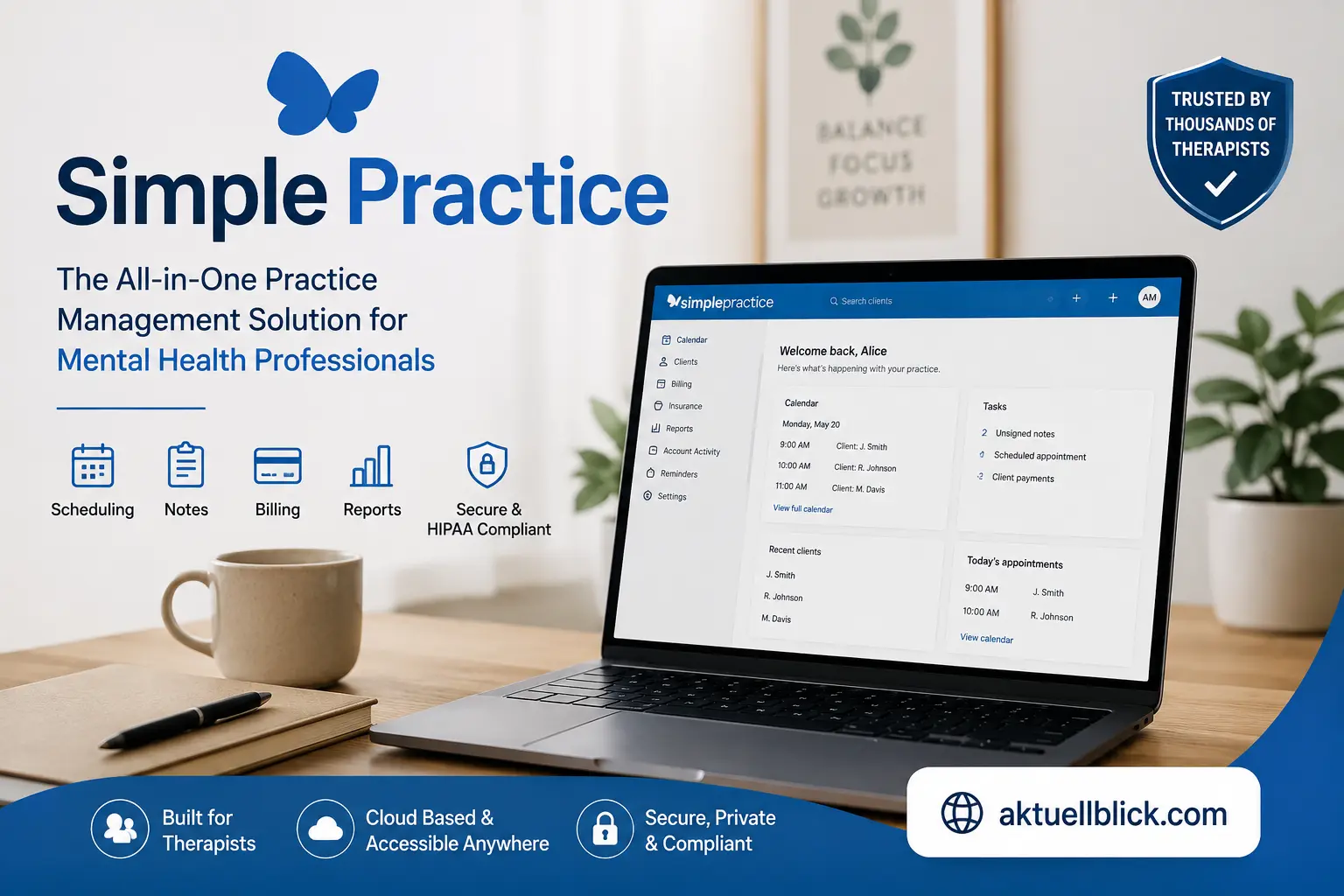

Managing a therapy or healthcare practice involves much more than meeting clients. Practitioners also need to schedule appointments, collect intake forms, write progress notes, process payments, submit insurance claims, communicate securely, organize clinical records, and keep sensitive health information protected. simple practice brings many of these responsibilities into one cloud-based system so practitioners can spend less time moving between separate administrative tools.
For someone opening a private practice for the first time, simple practice can initially seem like another piece of software to learn. In reality, it functions as a combination of electronic health record software, practice management software, online appointment scheduling software, billing system, client portal, telehealth platform, and clinical documentation workspace. The important question is not simply whether it has many features, but whether those features match the way a particular clinician actually works.
In 2026, the platform serves solo practitioners, therapists, counselors, psychologists, social workers, behavioral health professionals, and larger group practices. Its tools now extend beyond basic scheduling and notes into insurance workflows, online payments, website creation, therapist discovery, mobile practice management, analytics, and AI-assisted documentation.
This guide explains the platform from the ground up. You will learn what it does, how its major features work, how much the plans cost, which add-ons may increase the real monthly expense, where its strengths and limitations lie, and how it compares with TherapyNotes, Jane, and Sessions Health.
What Is Simple Practice?
SimplePractice is a cloud-based electronic health record and practice management platform built primarily for independent health and wellness professionals. It combines administrative, clinical, financial, and client-facing workflows inside a single account.
For a therapist, that can mean having the appointment calendar, client record, progress notes, treatment plans, intake documents, invoices, payment history, insurance claims, secure messages, and telehealth sessions available from the same system instead of using several unrelated services.
The platform is especially well known in behavioral health, although its use cases extend beyond psychotherapy. Depending on professional scope and available platform features, it can support counselors, psychologists, clinical social workers, marriage and family therapists, occupational therapists, speech-language professionals, dietitians, and other private-practice providers.
It helps to understand the difference between two commonly used terms:
- EHR software: Stores and manages clinical and health-related client information.
- Practice management software: Handles administrative operations such as scheduling, billing, reminders, payments, and reporting.
This platform combines both functions. That matters because practitioners often need clinical documentation and business administration to work together. An appointment can lead to a note, charge, invoice, claim, payment, and financial report without requiring the practitioner to recreate the same client information several times.
In simple terms, what problem does the software solve? It attempts to create one connected workflow from the moment a prospective client requests an appointment through ongoing treatment, documentation, billing, and eventual discharge.
How Simple Practice Works
SimplePractice works as a secure online workspace. A practitioner creates an account, configures practice settings, adds services and fees, sets availability, prepares documentation templates, activates client-facing features, and then begins adding or inviting clients.
A typical workflow may look like this:
- A prospective client submits an appointment request or contacts the practice.
- The practitioner creates the client profile and schedules an appointment.
- Intake forms and consent documents are shared through the client portal.
- The client completes paperwork electronically.
- Appointment reminders are sent based on the selected settings.
- The session occurs in person or through integrated telehealth.
- The clinician completes progress notes or other clinical documentation.
- The appointment generates the appropriate client or insurance billing activity.
- Payments and claims can be tracked from the billing area.
- Practice reports help the owner monitor income and outstanding balances.
This connected workflow is one of the major reasons an all-in-one mental health EHR can reduce administrative friction. Information entered once can often feed later steps.
A new user should still expect an initial setup period. Service codes, office locations, documentation templates, billing settings, client portal permissions, payment processing, insurance details, and scheduling rules all need to reflect the actual practice.
The software does not make clinical or business decisions on behalf of the provider. It organizes workflows and automates selected repetitive tasks, while responsibility for documentation accuracy, billing compliance, informed consent, privacy practices, and clinical judgment remains with the practitioner.
Who Should Use Simple Practice?
The platform makes the most sense for professionals who want clinical documentation and practice administration in one system. It is particularly relevant for independent behavioral health professionals who do not want to build a technology stack from several separate services.
Potential users include:
- Licensed professional counselors
- Psychologists
- Clinical social workers
- Marriage and family therapists
- Mental health counselors
- Behavioral health clinicians
- Solo private practices
- Multi-clinician therapy practices
- Practices providing telehealth
- Providers billing insurance
- Self-pay practices
- Professionals who need electronic intake and documentation
A solo therapist may value online booking, notes, payments, reminders, and telehealth. A group practice owner may focus more heavily on clinician access, scheduling permissions, supervision, centralized billing, reporting, and staff roles.
Who may not need a full practice management system? A practitioner with a very small caseload who only needs basic scheduling and secure record storage may find a broad EHR more than necessary. Similarly, organizations requiring highly specialized hospital workflows, extensive custom integrations, enterprise-level revenue cycle systems, or a public API may need to assess other software.
The decision should therefore be based on workflow rather than popularity. Write down what your practice does every week—scheduling, documentation, claims, payments, telehealth, reminders, forms, reporting—and determine how many of those jobs the platform can replace or simplify.
Simple Practice Features in 2026
The 2026 feature set covers most stages of private-practice administration. Instead of treating every feature as equally important, it is useful to group them by the problem they solve.
Scheduling and client access
- Calendar management
- Online appointment requests
- Appointment reminders
- Client portal
- Waitlist management
- Calendar synchronization
Clinical documentation
- Progress notes
- Intake forms
- Treatment plans
- Custom templates
- Administrative notes
- Assessments and questionnaires
- AI-assisted documentation options
Communication and care delivery
- Secure messaging on eligible plans
- Telehealth
- Client announcements on supported plans
- Document sharing
- Electronic signatures
Financial administration
- Invoices
- Online payments
- Superbills
- Insurance claims
- ERA/EOB payment recording
- Billing reports
- Income and balance tracking
Practice growth and management
- Professional Website
- Therapy Finder
- Group-practice roles
- Analytics
- Client inquiries
- Practitioner profiles
An important detail is that feature availability differs by subscription level. Some core tools are available across all plans, while advanced administrative, group-practice, communication, analytics, and calendar tools may require Essential or Plus.
For that reason, buyers should evaluate features at the plan level rather than looking only at the overall product feature list.
Simple Practice Appointment Scheduling
Appointment scheduling is one of the central workflows inside the platform. Practitioners can create appointments from the calendar, assign clients and services, select locations, set recurring sessions, and manage availability.
Online appointment requests can reduce the back-and-forth normally involved in booking. A practice can determine which services prospective or existing clients may request and when those services are available.
Appointment reminders can also reduce administrative work. Depending on plan and configuration, reminders may be delivered through email, text, or voice. Clients can confirm or cancel through supported reminder workflows, allowing the calendar to reflect changes without requiring a separate phone call.
For practices with more complicated schedules, calendar filtering can help distinguish clinicians, services, locations, or appointment statuses. Group appointments are also available under qualifying plans or add-ons.
Calendar sync is another useful feature for practitioners who maintain personal or professional schedules outside the EHR. In 2026, basic sync supports Apple Calendar, Google Calendar, and Microsoft 365 Outlook Calendar, while advanced Google Calendar synchronization offers deeper scheduling flexibility on the Plus plan.
What should a therapist configure first? Before opening online booking, define service duration, fee, office or telehealth location, availability, cancellation policy, buffer time, and which services new clients may request. Good scheduling automation depends on accurate rules.
Simple Practice Client Portal
The client portal acts as the secure client-facing side of the practice. Instead of asking clients to exchange sensitive documents through ordinary email, the portal provides a centralized area where approved client activities can take place.
Clients can use the portal to perform tasks such as:
- Requesting or viewing appointments
- Completing intake paperwork
- Reviewing shared documents
- Sending secure messages
- Managing billing information
- Paying invoices
- Accessing practice information
The portal can improve the onboarding experience because new clients receive a clear place to complete required tasks before their first session. It can also reduce repetitive administrative questions about forms, appointment details, and balances.
SimplePractice also offers a Client Portal mobile app. Current functionality allows clients and contacts to access appointments, payments, secure messages, and intake paperwork from supported mobile devices. The app includes device-level security options such as PIN or biometric access where supported.
Why does a client portal matter? From the client’s perspective, it creates one predictable destination for interacting with the administrative side of care. From the practice’s perspective, it reduces manual document handling while keeping client information connected to the correct record.
Practices should still configure permissions carefully. Just because a feature exists does not mean every client needs access to every portal function.
Simple Practice Forms, Templates, and Client Intake
Electronic intake is one of the areas where practice management software can save substantial administrative time. Instead of printing, scanning, and manually filing paperwork, practitioners can send digital forms that flow back into the client record.
Common document types may include:
- Intake questionnaires
- Practice policies
- Informed consent forms
- Privacy-related documents
- Release-of-information forms
- Demographic forms
- Insurance information
- Treatment planning documents
- Assessments
- Custom questionnaires
Template customization becomes especially valuable when a practice serves different populations. A couples therapist may need different intake questions than a child therapist. An insurance-based practice may require different information than a private-pay practice.
The 2026 plan structure gives Essential and Plus users broader customization for progress-note, treatment-plan, and other documentation templates, while Starter has more limited template customization.
A strong onboarding workflow avoids sending every available document to every client. Instead, create document packages based on service type.
For example, a new adult psychotherapy client might receive demographic information, consent documents, practice policies, payment authorization, an intake questionnaire, and telehealth consent where applicable.
What makes good digital intake? Ask only for information that has a clear clinical, administrative, legal, or billing purpose. Shorter and more relevant intake packages are easier for clients to complete accurately.
Simple Practice Progress Notes and Clinical Documentation
Clinical documentation is one of the most important parts of any therapist EHR. Practitioners need a reliable way to record what occurred during care while maintaining documentation standards appropriate to their profession, payer contracts, licensing requirements, and practice policies.
The platform supports progress notes and other forms of clinical documentation, with customizable templates available depending on subscription level.
A useful documentation workflow typically connects:
Appointment → clinical note → diagnosis/service information → billing → record retention
That connection reduces the risk of having clinical documentation stored separately from scheduling and billing records.
Practitioners can create templates that reflect their preferred documentation style. Depending on professional needs, that might include SOAP-style sections, narrative notes, structured treatment goals, interventions, client response, risk-related fields, or plans for follow-up.
The software also offers Wiley Treatment Planners on eligible plans, providing structured treatment-planning resources.
Does an EHR template guarantee compliant documentation? No. A template can create consistency, but the clinician remains responsible for documenting accurately and appropriately.
A good template should make essential information easier to record without encouraging unnecessary detail. More text is not automatically better clinical documentation. The goal is a clear, accurate, professionally appropriate record that supports continuity of care and any legitimate billing requirements.
Simple Practice AI Note Taker
AI-assisted clinical documentation has become a much larger part of the platform in 2026. Note Taker can listen to a session, produce a transcript, and generate a draft progress note that the clinician reviews before saving.
The important word is draft. AI-generated clinical notes should never be treated as final documentation without clinician review. The practitioner needs to confirm that the note accurately reflects the session, removes misleading statements, includes necessary clinical information, and aligns with professional and payer requirements.
SimplePractice states that Note Taker is HIPAA compliant and currently lists it as an optional add-on across Starter, Essential, and Plus. The standard listed price is $35 per clinician per month, although temporary promotional pricing can differ.
In 2026, the AI offering has expanded beyond a standalone note-generation tool. Care Aide brings together AI-supported capabilities covering areas such as session preparation, documentation, treatment planning, intake review, and client summaries.
There is also a privacy consideration that deserves attention. Beginning in June 2026, the company introduced optional retention of de-identified and de-coupled Note Taker transcripts for improving AI-powered features, with retention preferences controllable at different levels.
Should clinicians use an AI note taker without telling clients? Consent requirements can vary by jurisdiction and situation. Practitioners should follow applicable law, licensing rules, organizational policies, and professional ethics rather than assuming that platform availability alone resolves consent obligations.
Simple Practice Telehealth
Integrated telehealth allows practitioners to conduct video appointments without maintaining a completely separate video platform. Telehealth is included across the three primary plans, and the company describes sessions as HIPAA compliant with no platform-imposed limits on session length or number of appointments.
The 2026 telehealth experience includes more than basic video calling. Available controls and collaboration features include:
- Waiting room
- Participant permissions
- Screen sharing
- Chat
- Interactive whiteboard
- Background controls
- Audio and video settings
- Client location requests for emergency information
- Group telehealth capabilities
The waiting room is particularly useful for maintaining session boundaries. Clients can enter before the appointment, but the clinician controls when they are admitted.
Group telehealth also supports multiple participants, making the system potentially useful for couples, families, and some group formats depending on practice needs. Current documentation supports group appointments with up to 15 clients under the relevant configuration.
What does a client need for telehealth? In practical terms, a compatible device, supported browser or app, functioning camera and microphone, reliable internet connection, and a private environment are the main requirements.
Practitioners should also have a telehealth backup plan. Technology can fail, so the practice policy should explain what happens if a video appointment disconnects.
Simple Practice Billing and Payments
Billing connects clinical work with the business side of the practice. The platform allows practitioners to set service rates, generate invoices, collect client payments, manage balances, and review financial activity.
An effective billing workflow begins before the first appointment. Each service should have the correct duration, fee, billing code where applicable, and payment expectations.
Online payments are integrated into the platform through Stripe. The current published processing fee is 3.15% plus $0.30 for each successful card transaction.
That fee matters when estimating the true cost of a practice management system. Subscription pricing is only one part of operating cost.
For example, if a private-pay therapist processes a large amount of monthly card revenue, payment processing fees may exceed the EHR subscription itself. This is not unique to one platform; card processing generally carries transaction costs. The important step is to calculate them.
The Billing hub now centralizes client and insurance activity, including outstanding appointments, payments, transactions, and claims.
What should practitioners monitor every week?
- Unpaid invoices
- Unbilled appointments
- Failed payments
- Client credits
- Insurance balances
- Claim status
- Payout activity
Regular review prevents small billing errors from turning into months of uncollected revenue.
Simple Practice Insurance Billing
Insurance billing is available for practices that submit claims to payers. The workflow begins with accurate client demographics, insurance information, service details, diagnosis information, and payer data.
The system supports electronic claim submission, claim tracking, auto-populated CMS-1500 forms, and automated recording of electronic remittance information.
Claim pricing differs by plan.
As of 2026:
- Starter charges $0.50 for an electronically submitted claim.
- Essential includes 10 claims per month, after which tiered rates begin at $0.35 per claim.
- Plus includes 35 claims per month, after which tiered rates begin at $0.25 per claim.
- Higher monthly volumes can qualify for lower per-claim rates.
Insurance status checks also vary by plan. Plus includes automatic status checks, while manual checks on lower plans may carry a per-check fee.
Does electronic claim submission eliminate billing errors? No. Software can validate and transmit information, but incorrect client demographics, subscriber details, diagnosis coding, service codes, payer IDs, authorization requirements, or provider information can still cause rejection or denial.
Insurance-based practices should therefore evaluate the EHR based on the entire revenue-cycle workflow, not merely whether it can send a claim.
Simple Practice Pricing in 2026
The platform currently has three primary subscription tiers:
| Plan | Standard Starting Price | Best Fit |
|---|---|---|
| Starter | $49/month | Basic solo-practice needs |
| Essential | $79/month | Growing solo practices needing more automation |
| Plus | $99/month | Advanced workflows and group practices |
These are the standard prices published in 2026. At the time of this update, eligible new users may also receive temporary promotional pricing, but promotions can change and should not be treated as the long-term cost.
Starter covers many core workflows but has meaningful limits. Essential adds features such as secure messaging, standard appointment reminders, broader documentation customization, calendar sync, analytics, and other operational tools. Plus adds deeper group-practice management and advanced workflow features.
A 30-day free trial is currently offered without requiring a credit card, although an active promotion may encourage customers to begin a paid subscription earlier in the trial period.
Which plan is cheapest in real life? The answer depends on the practice.
A $49 subscription is not automatically cheaper if the clinician needs multiple missing features or pays high per-use fees. Likewise, a $99 plan is not automatically better if most advanced capabilities go unused.
Calculate the monthly cost from actual workflow volume.
Simple Practice Plans and Add-On Costs
Subscription price is only the starting point. Practitioners should calculate add-ons, transaction fees, insurance usage, team members, and any specialized clinical tools before deciding on a plan.
Important additional costs in 2026 can include:
- Credit card processing
- Electronic claim submissions beyond included limits
- Insurance status checks on qualifying plans
- Additional clinicians
- Practice managers
- Group appointment functionality where purchased separately
- Note Taker
- Care Aide
- ePrescribe
Note Taker currently has a standard listed price of $35 per clinician per month. Care Aide has a standard listed price of $59 per month for the account owner and $49 for each additional clinician using the feature. ePrescribe is listed at $49 per clinician per month plus a one-time $89 setup fee. Promotional discounts may temporarily reduce some of these prices.
Additional clinician pricing on Plus depends on practice size:
- 2–5 clinicians: $74 per clinician per month
- 6–15 clinicians: $72 per clinician per month
- 16+ clinicians: $69 per clinician per month
Practice managers are currently $39 per person per month, while some non-clinical roles such as billers, schedulers, and supervisors can be added without an additional role fee under the Plus structure.
A group practice should therefore model cost at its expected future team size, not only today’s headcount.
Simple Practice for Therapists and Mental Health Professionals
Mental health practices have workflows that differ from many general medical offices. Recurring weekly appointments, psychotherapy documentation, treatment plans, secure communication, telehealth, insurance superbills, and long-term client relationships are common.
The platform addresses many of these needs in one system.
A therapist can create recurring appointments, send intake paperwork, document sessions, maintain treatment plans, process card payments, issue superbills, file insurance claims, and conduct video sessions.
Counselors and psychologists may also benefit from customizable forms and structured documentation tools. Group practices can assign team roles and separate clinician access based on responsibilities.
The platform’s behavioral-health focus is also visible in features such as Wiley Treatment Planners, therapy-oriented Note Taker workflows, Therapy Finder, and practitioner marketing profiles.
Does every therapist need all of these features? No.
A cash-pay therapist with ten weekly clients may care most about scheduling, notes, telehealth, reminders, card payments, and superbills. An insurance-heavy clinician may care more about claims and eligibility. A large practice owner may prioritize permissions, financial reporting, staff management, and centralized scheduling.
The best mental health EHR is therefore the one that removes the most recurring work from your specific practice without creating unnecessary cost or administrative complexity.
Simple Practice for Solo Practitioners
Solo practitioners often need software that can replace several administrative tools without requiring an office manager to maintain them.
For a one-person practice, the most valuable functions may include:
- Online appointment scheduling
- Automated reminders
- Intake forms
- Secure client portal
- Progress notes
- Telehealth
- Online payments
- Superbills
- Insurance claims
- Practice website
- Financial reporting
The main advantage is operational consistency. When a new client enters the system, the clinician can move that person from inquiry through intake, appointment, documentation, and billing without rebuilding records in several apps.
However, solo practitioners are also highly sensitive to price. A $20 or $40 monthly add-on affects a one-person business differently than a larger organization.
Before choosing a plan, divide features into three categories:
Essential: You use it every week.
Helpful: It saves measurable time but is not required.
Optional: It sounds useful but does not solve a current problem.
This exercise prevents paying for software based on feature quantity.
A solo clinician who rarely bills insurance, does not need advanced calendar sync, and already has a website may have very different requirements from a clinician who uses telehealth daily and processes dozens of electronic claims.
For the latest updates and insights, explore Mastery Connect today.
Simple Practice for Group Practices
Group practices need more than shared scheduling. They need controlled access to client information, clinician management, administrative roles, billing coordination, supervision workflows, and reporting.
The Plus plan is required to add team members. It can support additional clinicians as well as roles such as practice managers, billers, schedulers, and supervisors.
This role structure matters because a scheduler does not necessarily need the same access as a therapist, and a biller may require financial tools without needing every clinical function.
Group practices can also use:
- Advanced calendar filters
- Clinician-based scheduling
- Group appointments
- Team secure messaging
- Practice-wide billing workflows
- Analytics
- Professional Website
- Therapy Finder clinician profiles
- Centralized documentation templates
What is the biggest pricing mistake for growing practices? Looking only at the $99 Plus base price.
A five-clinician organization should calculate the cost of all clinician seats, optional AI tools, payment processing, claim volume, ePrescribe users if applicable, and practice-manager seats.
The correct question is therefore: What will the system cost at the staff size we expect twelve months from now?
That forecast makes comparisons with other group practice software much more realistic.
Simple Practice Client Management
Client management starts with a central record. The profile can contain contact information, administrative details, appointments, documentation, billing information, insurance data, files, and communication history.
Keeping information centralized reduces the number of places staff need to search when answering a routine question.
A good client-management workflow usually includes:
- Create or convert an inquiry.
- Confirm basic demographics.
- Send intake documents.
- Set billing type.
- Add insurance information where applicable.
- Schedule services.
- Document appointments.
- Track balances and claims.
- Maintain ongoing communication.
- Update client status when treatment changes.
The client portal helps move some administrative data entry to the client. For example, clients can provide demographic and insurance information through secure forms rather than dictating details over the phone.
The mobile clinician app also allows practitioners to access and update certain client information away from the desktop version.
Why is clean client data important? Scheduling, billing, insurance, communication, and documentation all depend on it. A wrong email address affects portal access. Incorrect insurance information can affect claims. Outdated contact information can affect reminders.
Data quality is therefore part of practice management, not just record keeping.
Simple Practice Website and Marketing Tools
The platform includes tools intended to help private practices establish an online presence without building a website from scratch.
The Professional Website can display practice information and provide a central destination where existing clients access their portal. Practices can customize public information and connect a custom domain.
Therapy Finder adds a directory component. Practitioners can create public profiles showing specialties, treatment approaches, insurance participation, services, location information, professional details, and other information prospective clients may use when choosing a therapist.
SimplePractice states that both its Professional Website and Therapy Finder profiles are built with search visibility in mind. Practitioners can customize page titles and descriptions and keep practice information updated.
Therapy Finder rankings can consider profile completeness, availability, location, search criteria, and randomization.
For location-based visibility inside Therapy Finder, the company currently notes that the clinician needs an appointment associated with that office location within the previous three months.
The platform also offers an integrated contact form. Prospective clients can send inquiries through the Professional Website, Client Portal, Therapy Finder profile, and—on eligible plans—an external-site widget.
These tools can help a new practice launch quickly, although practices pursuing aggressive local SEO or highly customized content marketing may eventually prefer a more flexible independent website.
Simple Practice Integrations
Integration needs should be evaluated carefully because this is one area where buyer expectations can differ significantly.
Calendar connectivity is one of the clearest integration areas. The system supports synchronization with Google Calendar, Apple Calendar, and Microsoft 365 Outlook Calendar, with capabilities varying by subscription tier and calendar provider.
Online payment processing is integrated through Stripe, allowing card information, charges, and payment activity to connect with client billing records.
However, the platform does not currently offer a public-facing API for general software integrations. It also does not currently provide built-in HIPAA-compliant eFax functionality.
That distinction is important.
Some competitors advertise large integration marketplaces. A small therapy practice may never need them. A larger organization with accounting automation, CRM systems, data warehouses, custom reporting, referral management, or specialized operational software may care a great deal.
How should you evaluate integrations? List every external platform your practice considers essential. Then confirm whether the connection is native, one-way, two-way, manual, or unavailable.
Never assume that two popular healthcare tools automatically connect to each other.
Simple Practice Mobile App
There are separate mobile experiences for clinicians and clients.
The SimplePractice for Clinicians app allows practitioners to handle many day-to-day tasks away from a desktop. Current capabilities include accessing client information, managing appointments, working with documentation, sending secure messages, reviewing files, handling selected billing tasks, and receiving notifications.
The clinician app is available for supported iOS and Android devices. As of June 2026, the iPhone/iPad version requires a device capable of running iOS 17.3 or later, while Android requires version 12.0 or newer.
Clients have a separate Client Portal app for activities such as appointment access, payments, secure messages, and intake paperwork.
Mobile access is particularly helpful for clinicians who work from several locations or need to complete small administrative tasks between sessions.
However, a mobile app should not automatically replace the desktop workflow. Complex billing review, extensive documentation, reporting, and account configuration are often easier on a larger screen.
What should practitioners protect on mobile devices?
- Device passcode
- Biometric authentication
- Automatic screen locking
- Updated operating system
- Secure network use
- Physical control of the device
Mobile convenience should never come at the cost of privacy.
Simple Practice Security and HIPAA Compliance
Healthcare software handles sensitive information, so security should be treated as a core buying criterion rather than a feature checkbox.
SimplePractice states that the platform is fully HIPAA compliant and uses security measures that include encrypted transmission of account information, protected passwords, and secured infrastructure.
The system also provides a Business Associate Agreement, which is an important component when a covered healthcare provider uses a vendor that handles protected health information.
HIPAA compliance, however, is a shared responsibility.
A secure EHR does not prevent a practitioner from creating privacy problems through weak passwords, shared logins, unsecured devices, incorrect permissions, careless exports, phishing, or sending protected information through inappropriate channels.
Useful security practices include:
- Enable strong account authentication.
- Never share individual login credentials.
- Review staff permissions regularly.
- Remove access promptly when staff leave.
- Protect mobile devices.
- Verify recipients before sharing documents.
- Use secure messaging for sensitive communication.
- Train staff on phishing and social engineering.
- Maintain appropriate backup and record-retention procedures.
- Review AI and telehealth consent requirements.
Is using HIPAA-compliant software enough to make a practice HIPAA compliant? No. Software can provide compliant infrastructure and tools, but the practice must use them correctly and maintain its own privacy and security processes.
How to Get Started With Simple Practice
A good setup sequence prevents the account from becoming disorganized later.
Start with the structure of the practice before adding dozens of clients.
Step 1: Configure practice details
Enter the practice name, contact information, locations, clinicians, and other foundational settings.
Step 2: Create services
Define the appointment types offered, including duration, fee, service code, location, and availability.
Step 3: Configure scheduling
Set working hours, online appointment request rules, reminders, cancellation expectations, and calendar sync if needed.
Step 4: Prepare documentation
Review intake forms, consent documents, progress-note templates, treatment-plan templates, and questionnaires.
Step 5: Set up the client portal
Decide which portal permissions should be enabled and customize the client-facing experience.
Step 6: Configure billing
Set rates, invoices, payment processing, billing documents, and private-pay or insurance workflows.
Step 7: Configure insurance
Add payer and client insurance data if the practice submits claims.
Step 8: Test telehealth
Check camera, microphone, browser permissions, waiting-room settings, and the client joining experience.
Step 9: Build the marketing profile
If using the Professional Website or Therapy Finder, complete specialties, services, fees, locations, professional information, and availability.
Step 10: Test everything as a client would experience it
Send a test intake package, create an appointment, review reminders, confirm billing settings, and check client-facing text.
The goal is to discover workflow problems before real clients encounter them.
Simple Practice Pros and Cons
No practice management platform is best for every provider. The useful comparison is whether the strengths match your daily workload and whether the weaknesses interfere with essential processes.
Main advantages
- Broad all-in-one feature set
- Strong behavioral-health orientation
- Integrated telehealth
- Client portal
- Online appointment requests
- Digital intake and documentation
- Integrated billing and payments
- Insurance claim tools
- Mobile apps
- Website and directory features
- Support for solo and group practices
- AI documentation options
Main disadvantages
- Cost can rise significantly with add-ons
- Group-practice clinician pricing can become substantial
- Some useful features require higher plans
- No public API
- No native HIPAA-compliant eFax
- Card processing and claim fees add to total cost
- AI features have separate subscription costs
- Advanced customization may be insufficient for highly specialized organizations
The platform’s biggest strength is consolidation. Its biggest purchasing risk is assuming that the advertised base subscription represents the full monthly cost.
Before subscribing, calculate the total cost using your expected number of clinicians, monthly claims, card revenue, AI users, and required add-ons.
Simple Practice Reviews in 2026
User reviews remain broadly positive overall, although experiences vary by practice type and expectations.
Capterra currently shows an overall rating of 4.6 out of 5 from more than 2,800 reviews, with ease of use and customer service each listed at 4.4. G2 currently shows 4.1 out of 5 based on its review set.
Positive review themes frequently include:
- Ease of setup
- User-friendly scheduling
- Integrated notes
- Telehealth convenience
- Client reminders
- Billing capabilities
- Centralized workflow
Critical reviews raise issues such as:
- Pricing concerns
- Cost increases or perceived value
- Support experiences
- Technology reliability
- Feature limitations for particular workflows
Reviews should be interpreted carefully. A feature that frustrates a multi-location group practice may never affect a solo therapist. Likewise, a practitioner who values an all-in-one system may rate the same pricing structure differently from someone who only uses a few features.
What is the best way to use software reviews? Look for reviews from practitioners who resemble your own business model.
Compare profession, practice size, insurance use, telehealth volume, and length of time using the software. Those details make the review more useful than the star rating alone.
Simple Practice Benefits
The clearest benefit is workflow consolidation.
A practitioner can potentially replace several standalone systems with one connected practice management platform. Scheduling can connect to documentation. Documentation can connect to billing. Billing can connect to payments and reporting. Clients can access forms, appointments, messages, and invoices through one portal.
That consolidation offers several practical benefits:
- Less duplicate data entry
- Fewer logins and subscriptions to manage
- More consistent client records
- Faster onboarding
- Easier administrative follow-up
- Centralized financial information
- Reduced scheduling back-and-forth
- Easier telehealth access
- Better visibility into unpaid balances and claims
Automation can also protect clinical time. Every reminder that sends automatically, form that reaches the correct client, or invoice that generates correctly removes a small manual task.
Those savings become meaningful across hundreds of appointments.
Another benefit is scalability. A practitioner can begin as a solo provider and later move into a group-practice configuration rather than immediately replacing the entire EHR.
The value of these benefits depends on adoption. Software cannot save time if the practice continues maintaining duplicate calendars, paper intake, separate spreadsheets, and parallel billing systems without a clear reason.
Simple Practice Limitations
The first limitation is cost expansion.
A user may begin with a straightforward subscription but later require AI documentation, more clinicians, a practice manager, higher claim volume, prescribing tools, or other paid features.
The second limitation is feature gating. The Starter plan includes useful basics, but secure messaging, broader reminders, analytics, calendar sync, and deeper documentation customization are among the capabilities that require higher tiers.
A third limitation is integration flexibility. Organizations that rely heavily on custom software connections should note the lack of a public API.
A fourth consideration is specialization. Although the platform serves many private-practice workflows well, a large medical organization may require features built for complex hospital systems, advanced revenue-cycle management, laboratory workflows, enterprise analytics, or specialized interoperability.
A fifth limitation involves AI expectations. AI note tools can accelerate drafting, but clinicians still need to review generated content. AI does not remove professional documentation responsibility.
Finally, website tools provide convenience but cannot match the design freedom and advanced SEO capabilities of a fully custom website.
The practical lesson: identify deal-breakers before migrating. It is much easier to discover an unavailable feature during a free trial than after importing an entire practice.
Simple Practice Customer Support
Customer support is available through several channels, including email help requests, live chat, phone support, live demonstrations, Q&A sessions, and selected one-on-one assistance.
Current email support hours are Monday through Friday from 6:00 AM to 7:00 PM Pacific Time and weekends from 6:00 AM to 6:00 PM Pacific Time. Live chat operates on its own schedule, while phone support is available during defined weekday hours.
Phone support currently covers selected account setup and troubleshooting topics. Plus customers receive access to a premium phone-support line for faster assistance with supported issues.
The Help Center is also extensive. For many configuration questions, written documentation can be faster than opening a support request.
Before contacting support, gather:
- The exact feature or screen involved
- What you expected to happen
- What actually happened
- Relevant error text
- Browser or app version
- Whether the problem affects one client or the entire account
Avoid sending protected health information through insecure channels. Use the secure support methods provided for account-specific or client-specific issues.
Simple Practice Alternatives in 2026
The best alternative depends on why someone is considering switching.
A clinician looking for lower pricing has different priorities from a group practice seeking stronger administrative workflows. A user dissatisfied with integrations may need a different solution than someone who simply wants a cheaper solo EHR.
Major alternatives include:
- TherapyNotes
- Jane
- Sessions Health
- TheraNest
- Carepatron
- TherapyAppointment
- Practice Better
- Healthie
- Other specialty-specific EHR platforms
Compare alternatives across consistent criteria:
| Decision Factor | What to Check |
|---|---|
| Base price | Monthly subscription |
| Additional clinicians | Cost per provider |
| Telehealth | Included or add-on |
| Claims | Included amount and per-claim fee |
| Client portal | Included functions |
| Documentation | Templates and customization |
| AI notes | Price, workflow, consent controls |
| Payments | Transaction fees |
| Group practice | Roles, permissions, supervision |
| Marketing | Website and directory tools |
| Mobile | Clinician and client features |
| Integrations | Native connections and API |
| Support | Hours and channels |
| Migration | Export and import options |
Do not choose an alternative because one feature is cheaper. Calculate the entire workflow cost and test the tasks you perform most often.
Simple Practice vs TherapyNotes
TherapyNotes is one of the closest comparisons because both products are strongly associated with mental and behavioral health practices.
In 2026, TherapyNotes lists its Solo subscription at $69 per month. Group pricing starts at $79 per month for the first clinician and $50 for each additional clinician, with unlimited non-clinical users in supported administrative roles.
The two platforms overlap heavily in areas such as:
- Scheduling
- Clinical documentation
- Client portal functions
- Billing
- Insurance claims
- Telehealth
- Practice administration
TherapyNotes is particularly known for its mental-health-specific workflows and support positioning, while SimplePractice places strong emphasis on user-friendly practice management, marketing tools, integrated telehealth, and its expanding AI feature set.
Which one is better depends on practice structure.
A solo clinician should compare the exact documentation workflow, telehealth experience, reminder costs, claims, billing process, support availability, and total monthly price.
A group practice should model seat pricing carefully. TherapyNotes’ additional clinician pricing and SimplePractice’s tiered clinician pricing can produce very different totals as a team grows.
The most reliable method is to reproduce the same workflow in both trials: create a client, send intake, schedule a session, write a note, generate a claim, collect a payment, and run a report.
Simple Practice vs Jane
Jane is another major practice management platform used by health and wellness professionals. It serves a broader mix of disciplines and is particularly visible among multidisciplinary clinics.
Jane’s current U.S. pricing includes a Balance plan at $54 per month, a Practice plan at $79 per month, and a Thrive plan at $99 per month. The exact cost can increase based on practitioner licensing and optional features.
Jane offers capabilities such as:
- Scheduling
- Charting
- Online booking
- Payments
- Patient communication
- Telehealth options
- Staff management
- Insurance-related workflows
- AI Scribe as an add-on
Jane’s AI Scribe is currently listed at $15 per opted-in practitioner per month, while group telehealth is also available as a paid add-on under its current U.S. pricing structure.
The main decision often comes down to discipline and workflow fit.
A psychotherapy-focused provider may prefer features and terminology built closely around behavioral health. A multidisciplinary clinic with massage therapy, physiotherapy, chiropractic, counseling, or several provider types may find Jane’s broader clinic orientation attractive.
Compare documentation, billing, practitioner pricing, online booking, telehealth, and reports rather than choosing based on homepage feature counts.
Simple Practice vs Sessions Health
Sessions Health is often considered by therapists seeking a lower-cost mental health EHR.
In 2026, Sessions Health lists a free tier for practices with up to three clients and a Professional plan at $39 per month for the first practitioner. Additional practitioners are listed at $29 per month.
Its core offering includes areas such as:
- Scheduling
- Clinical documentation
- Client portal
- Billing tools
- Practice administration
- Unlimited clients on the professional tier
Integrated telehealth is currently a $10 per practitioner monthly add-on. Electronic claims start at $0.25 per claim, with lower rates at higher monthly volume.
This creates a clear pricing difference for cost-sensitive clinicians.
However, price alone should not decide the comparison. SimplePractice currently has a broader marketing ecosystem through its Professional Website and Therapy Finder, a more developed set of AI-assisted workflow tools, and a long-established all-in-one private-practice feature set.
Sessions Health may appeal strongly to practitioners who prioritize transparent lower base pricing and core therapist EHR functions.
A useful decision framework is:
Choose based on the workflow you use every week, not the feature you might use once a year.
Run the same test cases in each platform and calculate the total monthly expense using your actual telehealth, claims, payment, and practitioner volume.
Is Simple Practice Worth It in 2026?
For many solo therapists and mental health professionals, SimplePractice remains a strong all-in-one option in 2026 because it combines clinical documentation, appointment scheduling, client communication, telehealth, payments, insurance workflows, and practice-management tools in one system.
It is particularly attractive when a practitioner wants to reduce the number of separate services used to run a private practice.
It may be worth the cost if you regularly use:
- Digital intake
- Recurring scheduling
- Appointment reminders
- Client portal
- Telehealth
- Clinical notes
- Billing
- Insurance claims
- Online payments
- Website or directory tools
The value becomes less obvious if the practice needs only a small portion of the feature set or requires extensive third-party integrations.
The biggest buying decision in 2026 is also no longer simply Starter versus Essential versus Plus. Practitioners should consider whether AI documentation tools such as Note Taker or Care Aide will be part of their workflow and include those costs in the budget.
Best for: practitioners who want a mature, integrated private-practice platform with strong behavioral-health functionality.
Less ideal for: organizations needing a public API, extensive custom integrations, highly specialized enterprise workflows, or the lowest possible monthly software cost.
The safest decision is to use the free trial to reproduce real practice workflows before migrating active clients.
FAQs
Is SimplePractice an EHR?
Yes. It functions as an electronic health record system as well as practice management software. The platform combines clinical documentation with scheduling, billing, telehealth, client communication, payments, and other administrative functions.
How much does it cost in 2026?
The standard starting prices are currently $49 per month for Starter, $79 per month for Essential, and $99 per month for Plus. Optional add-ons, additional clinicians, insurance transactions, and payment processing can increase the total monthly cost.
Is there a free plan?
There is currently no permanent free subscription tier for the main platform. A 30-day free trial is available, and temporary promotions may reduce the initial price for eligible new subscribers.
Does it offer a free trial?
Yes. The current free trial lasts up to 30 days and does not require a credit card at signup. Promotional conditions may change, so users should review the current offer before subscribing.
Is the platform HIPAA compliant?
The company states that its platform is fully HIPAA compliant and provides security controls and a Business Associate Agreement. Practitioners must still follow their own HIPAA responsibilities, privacy policies, and security procedures.
Is telehealth included?
Yes. HIPAA-compliant telehealth is currently included on Starter, Essential, and Plus. Available capabilities include features such as a waiting room, screen sharing, whiteboard tools, and participant controls.
Can therapists submit insurance claims?
Yes. The system supports electronic claim filing, claim monitoring, CMS-1500 forms, and electronic remittance workflows. Claim allowances and transaction costs vary by subscription tier.
Does the platform have an AI note taker?
Yes. Note Taker can generate draft progress notes from appointment audio. Clinicians are expected to review and edit generated documentation before saving or using it for billing or clinical records.
How much does the AI note taker cost?
The standard 2026 listed price is $35 per clinician per month. Temporary promotional discounts may reduce the price for a limited period.
What is Care Aide?
Care Aide is the platform’s newer AI-supported clinical workflow suite. It expands beyond note drafting into areas such as session preparation, treatment planning, intake review, and client summaries.
Can clients book appointments online?
Yes. Online appointment requests can be enabled so clients or prospective clients can request eligible services based on availability configured by the practice.
Can clients complete forms online?
Yes. Intake forms, questionnaires, consent documents, and other paperwork can be shared electronically through the secure client portal.
Can clients pay online?
Yes. Practices can set up integrated payment processing and allow card payments. The current published processing fee is 3.15% plus $0.30 per successful transaction.
Does it work for solo therapists?
Yes. Solo practitioners are one of the platform’s major use cases. The system can combine scheduling, forms, documentation, payments, telehealth, billing, and client communication without requiring a separate administrative team.
Does it support group practices?
Yes, but team members can be added only on the Plus plan. Additional clinician pricing is tiered according to practice size, and various administrative roles can also be assigned.
Does it have a mobile app?
Yes. There are mobile applications for clinicians and clients. The clinician app supports key practice-management tasks, while the Client Portal app provides access to appointments, payments, messages, and paperwork.
Does it integrate with Google Calendar?
Yes. Basic Google Calendar synchronization is available on eligible plans, while advanced Google Calendar sync is available with Plus. Apple Calendar and Microsoft 365 Outlook Calendar are also supported through calendar sync options.
Does it have a public API?
No. The company currently states that it does not offer a public-facing API. Practices that require extensive custom integrations should consider this before migrating.
Can it help therapists find new clients?
Potentially. The Professional Website can create a basic online practice presence, while Therapy Finder allows eligible practitioners to publish profiles that prospective clients can discover based on criteria such as specialty, location, services, and availability.
What is the biggest disadvantage?
For many practices, the biggest concern is total cost. The base subscription can be joined by clinician fees, AI add-ons, claim charges, payment processing, ePrescribe, and other optional costs.
Is TherapyNotes better?
Neither platform is universally better. TherapyNotes may appeal to practices prioritizing mental-health-specific workflows and its support model, while SimplePractice may appeal to users who value its interface, marketing ecosystem, integrated practice management, telehealth, and newer AI tools. The better option depends on workflow and total cost.
Is Jane better?
Jane may be particularly attractive to multidisciplinary health and wellness clinics, while behavioral health practitioners may prefer the therapy-oriented ecosystem found here. Pricing, practitioner structure, telehealth, documentation, and billing requirements should all be compared.
Is Sessions Health cheaper?
At current 2026 standard pricing, Sessions Health has a lower starting paid price at $39 per month, compared with the $49 Starter price discussed in this guide. Optional features and usage fees should still be included before deciding which system is cheaper overall.
Can I switch EHR systems later?
Yes, but migration requires planning. Before leaving any EHR, determine how clinical records, client demographics, billing information, documents, reports, and legally required records can be exported and retained. Never cancel an existing system before confirming that required data has been preserved.
Conclusion
SimplePractice in 2026 is far more than an appointment calendar. It combines electronic health records, therapy practice management, clinical documentation, client intake, scheduling, telehealth, billing, online payments, insurance claims, client communication, mobile access, marketing tools, and increasingly sophisticated AI-assisted workflows.
Its strongest advantage is that many parts of the client journey can remain inside one connected system. A prospective client can find the practice, request an appointment, complete intake paperwork, attend a telehealth session, receive an invoice, submit payment, and continue communicating through connected tools.
The main trade-off is cost and flexibility. Subscription tiers, additional clinicians, transaction fees, insurance usage, AI features, and specialty add-ons can make the real monthly expense considerably higher than the advertised base plan. Organizations that depend on deep external integrations should also consider the absence of a public API.
For a solo therapist or growing behavioral-health practice, the platform can provide meaningful administrative value when most of its core tools are actively used. For a larger group, the decision requires more detailed cost modeling and workflow testing.
Before choosing any EHR software, create a list of your real weekly tasks and test them during the trial. Schedule an appointment, send intake paperwork, write a note, run telehealth, create an invoice, process a payment, test an insurance claim if relevant, and review reporting. If those workflows feel easier and reduce administrative effort, the software is solving the problem it was purchased to solve.
That is ultimately the best way to decide whether the platform is worth paying for in 2026.
For the latest updates and insights, explore Birkin Bag today.